
A CRM that sells, serves and follows up on WhatsApp
Manage leads, deals, quotes and support tickets in one place, with WhatsApp conversations linked to every customer. Built in Arabic and English for companies in Jordan, Saudi Arabia and Syria.
- Kanban pipelines with mandatory loss reasons
- Shared WhatsApp inbox
- Tickets with business-hours SLA
- No-code automation rules
Where sales and service usually break down
Customers reach you on several channels. Without one system, follow-ups slip and nobody knows the real pipeline.
The challenge
Inquiries lost between channels
Messages arrive by WhatsApp, email and phone, and nobody owns them.
With Aspirations
Incoming messages link to the contact or create a lead automatically, and every lead and conversation can be assigned.
The challenge
A pipeline nobody trusts
Deals sit in spreadsheets with no stage history and no reason for losses.
With Aspirations
Kanban pipelines with stage probabilities, status derived from the stage, and a mandatory loss reason.
The challenge
Support without a clock
Customers wait and there is no record of how long or why.
With Aspirations
Tickets with SLA on your business hours and holidays, breach alerts and satisfaction surveys.
Turn every inquiry into a qualified lead
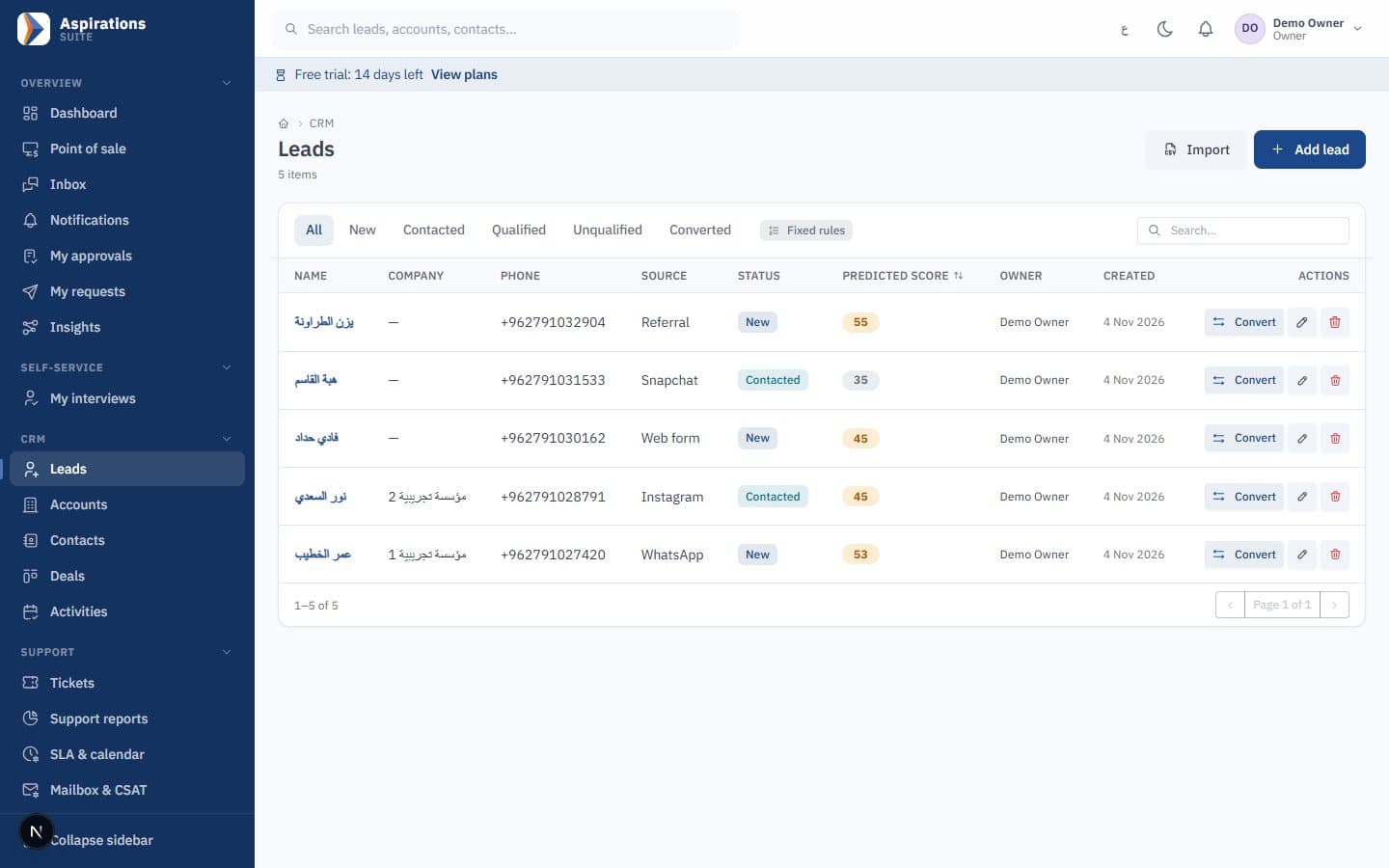
Leads arrive clean, without duplicates, and move to a contact, company and deal in one step.
- Clean contact data — Phone numbers in international format and duplicate detection on entry.
- Bulk import — Import existing leads with a report of duplicates and row errors.
- Leads from your website — Web forms can create leads through an incoming webhook, with campaign source.
- Lead scoring — Scores learned from your own conversions, with declared fixed rules when history is short.
- One-step conversion — Convert a lead to a contact, company and deal at once.
Move deals forward and quote without retyping
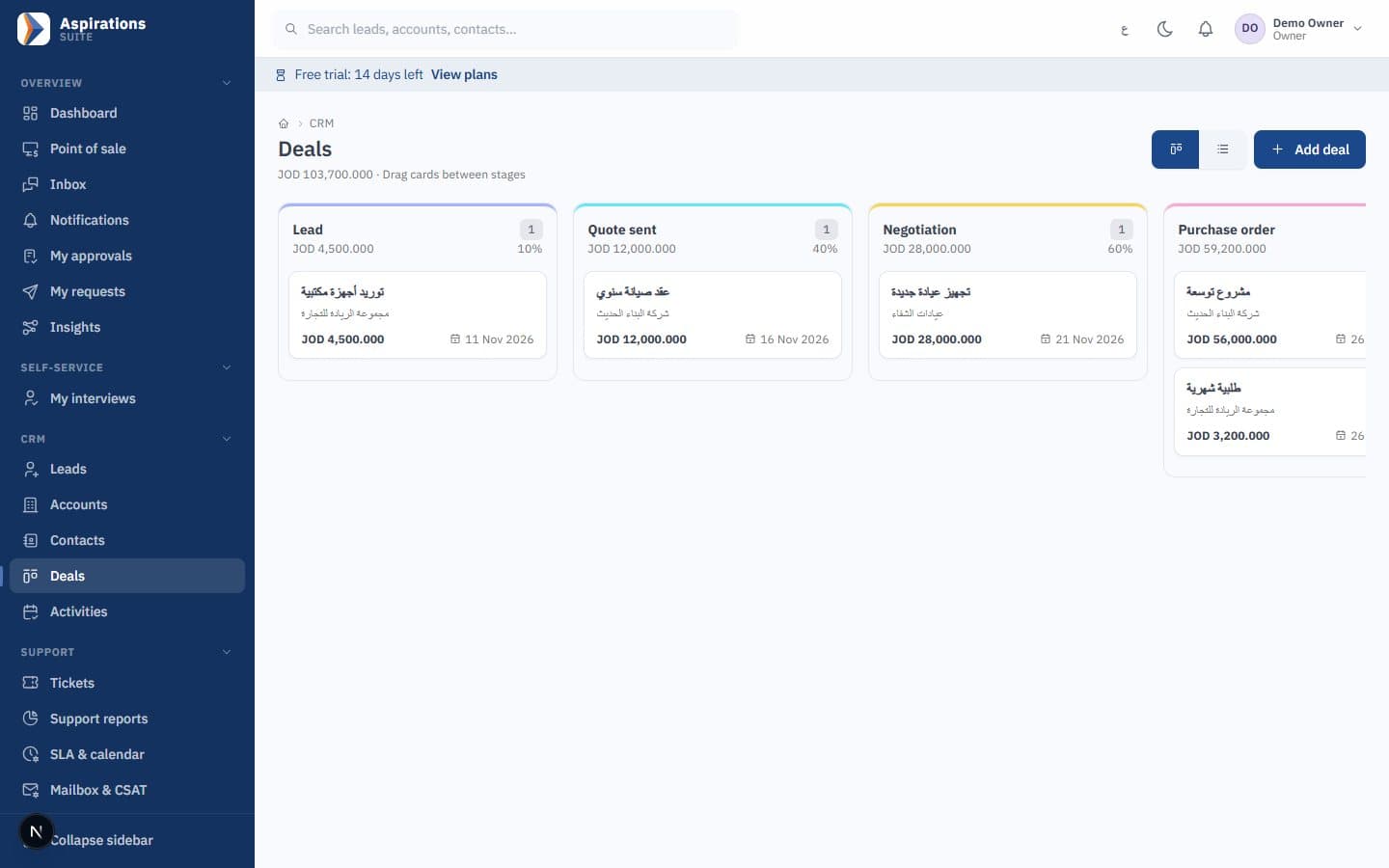
See every deal by stage, then turn the winning quote into an invoice from the same screen.
- Multiple pipelines — Stages with win probabilities on a Kanban board, for each sales process you run.
- Honest outcomes — Deal status follows the stage, and lost deals require a reason.
- Quotes to invoices — Gap-free numbering, quote-to-invoice conversion and locked invoices after issue.
- Online acceptance — Customers accept quotes in the client portal by typing their name.
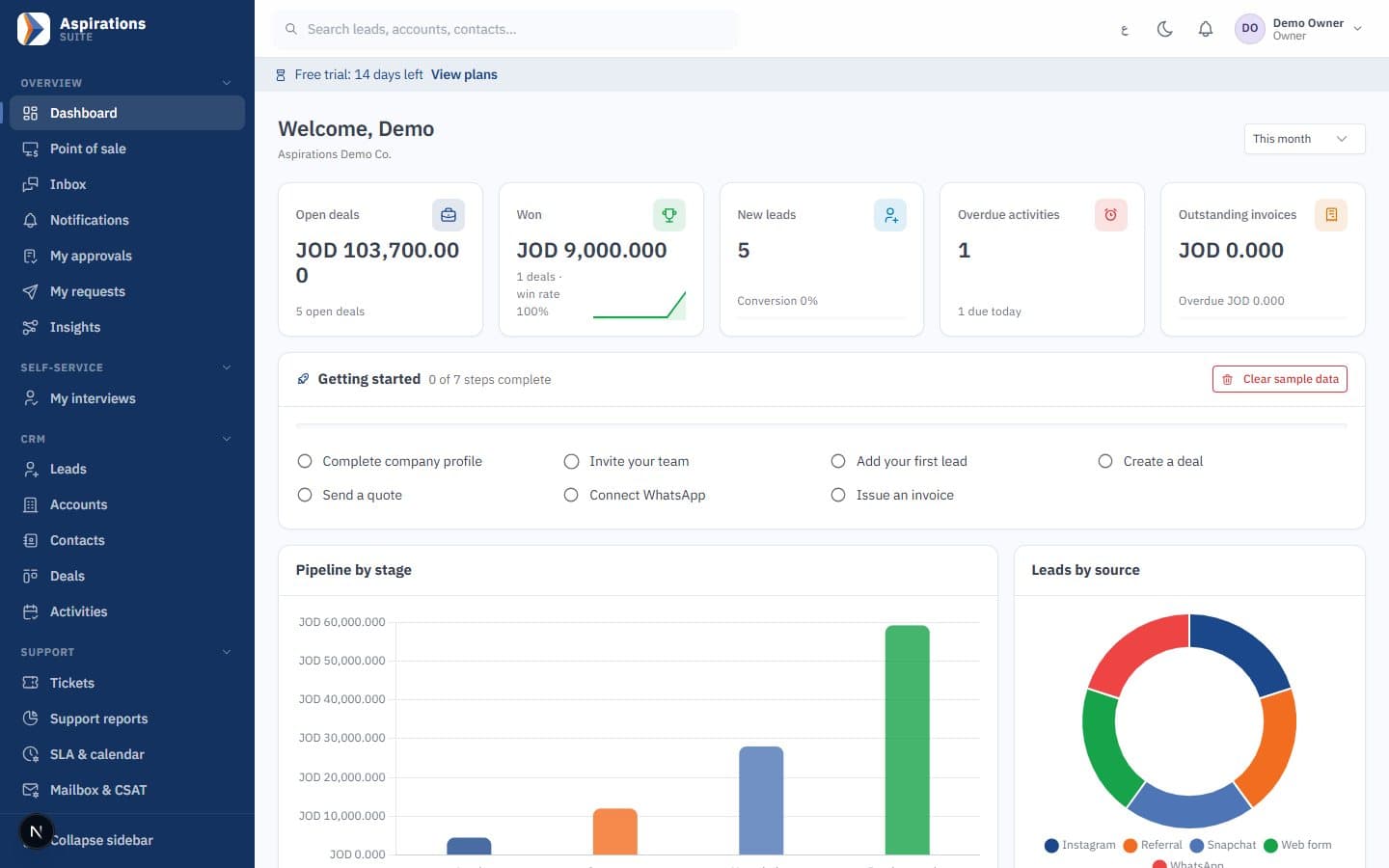
- Dashboards by role — Pipeline value, lead sources, monthly profit, top performers and receivables.
Never miss a follow-up
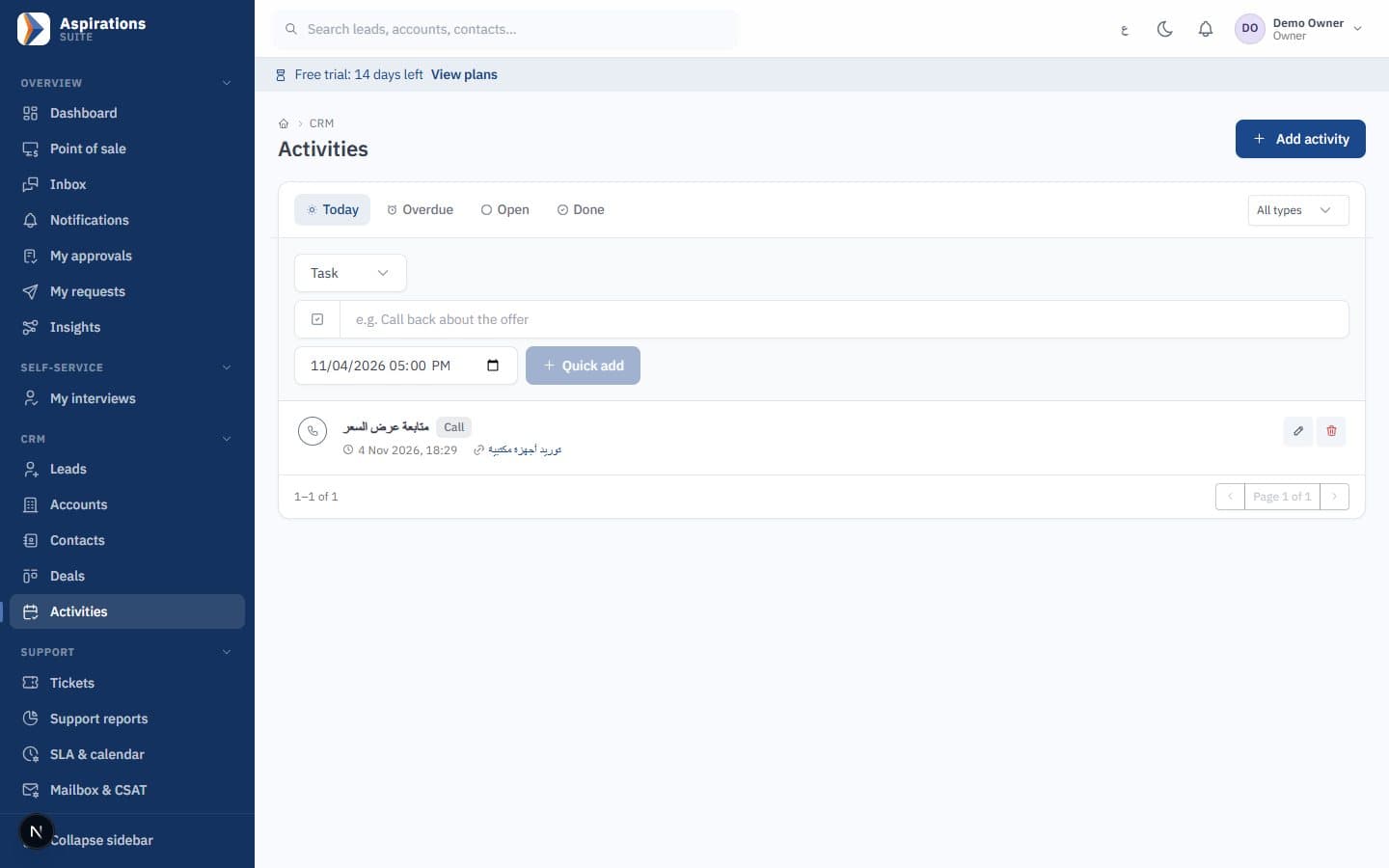
Every call, meeting and visit is planned, assigned and recorded on the customer's timeline.
- All activity types — Tasks, calls, meetings, notes and visits in one list.
- Today and overdue views — Each rep starts the day with what is due and what slipped.
- Field visits — Check in and out of customer visits with location.
- Notifications — Alerts for overdue activities and for leads, deals and conversations assigned to you.
- Unified timeline — The full history of each contact before the next conversation.
Answer customers where they already are
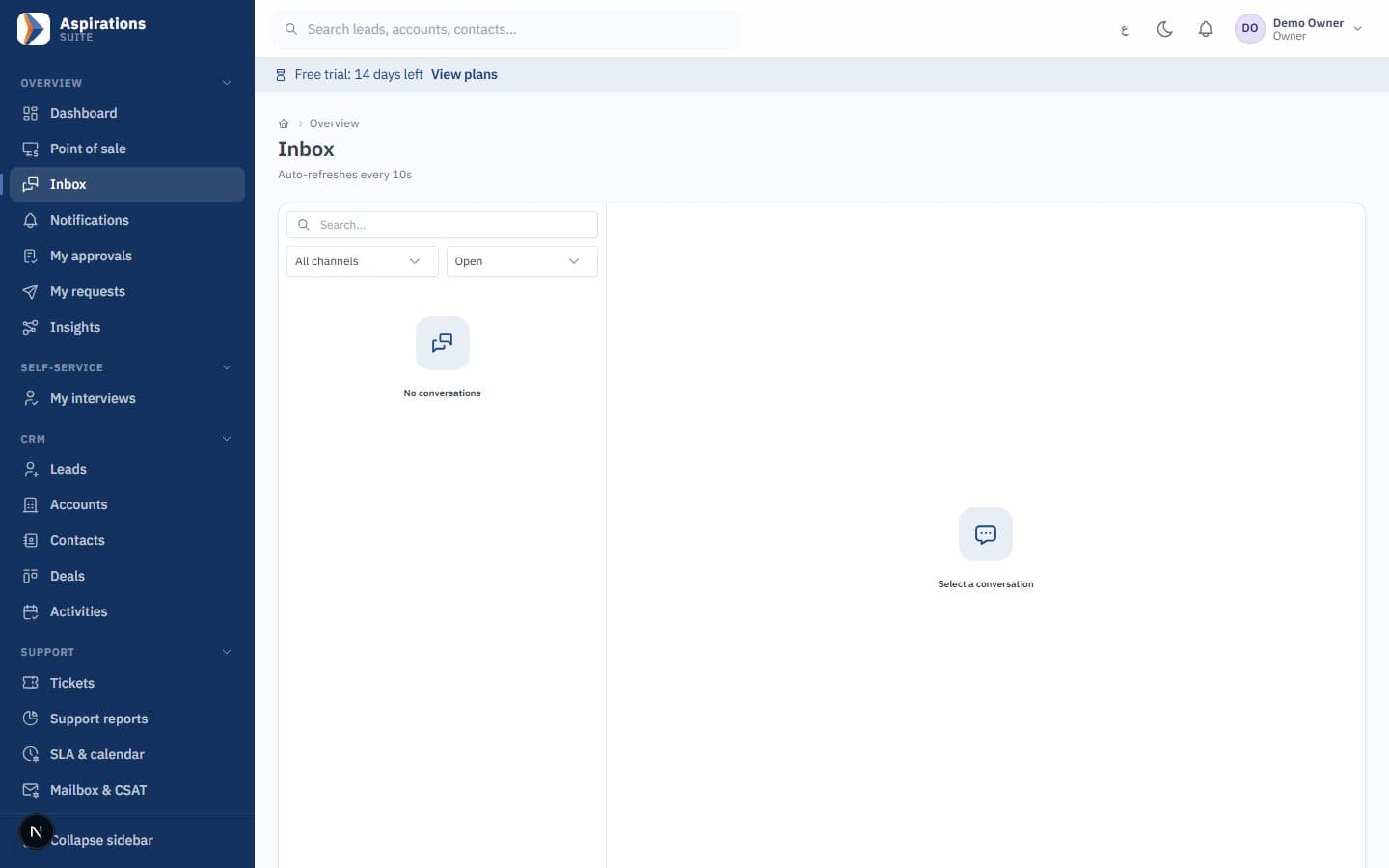
WhatsApp and email conversations land in a shared inbox, linked to the right customer.
- Official WhatsApp Cloud API — Send and receive with delivery statuses and the 24-hour service window.
- Automatic linking — Messages link to the contact, or create a new lead from an unknown number.
- Team inbox — Assign conversations to a teammate and turn one into a support ticket in one step.
- Email — Outgoing email through your company's mail server from the same record.
- Consent respected — Withdrawn consent is honoured on every outgoing marketing message.
Resolve tickets on time
Every request becomes a ticket with an owner, a deadline and a satisfaction score.
- Every channel — Tickets from phone, email, WhatsApp or web, and inbound email turned into tickets.
- SLA on your calendar — Response and resolution times measured on your business hours and holidays.
- Breach alerts — Breaches are recorded and notify the team.
- Satisfaction surveys — A rating link is sent automatically when a ticket is resolved.
- Portal and reports — Customers follow their tickets in the client portal, and managers see support reports.
Reach the right customers and automate the routine
Target segments with consent, and let rules handle the follow-ups your team repeats every day.
- Segments — Filter-based segments and fixed member lists.
- WhatsApp and email campaigns — Approved WhatsApp templates or email, with delivery statistics.
- Consent first — Only contacts with marketing consent receive campaigns, and STOP or unsubscribe is honoured automatically.
- No-code automation — "When X, if Y, then do Z" rules with 7 triggers and 8 actions, including webhooks.
- Safe by design — Loop protection, no duplicate runs and an execution log for every rule.
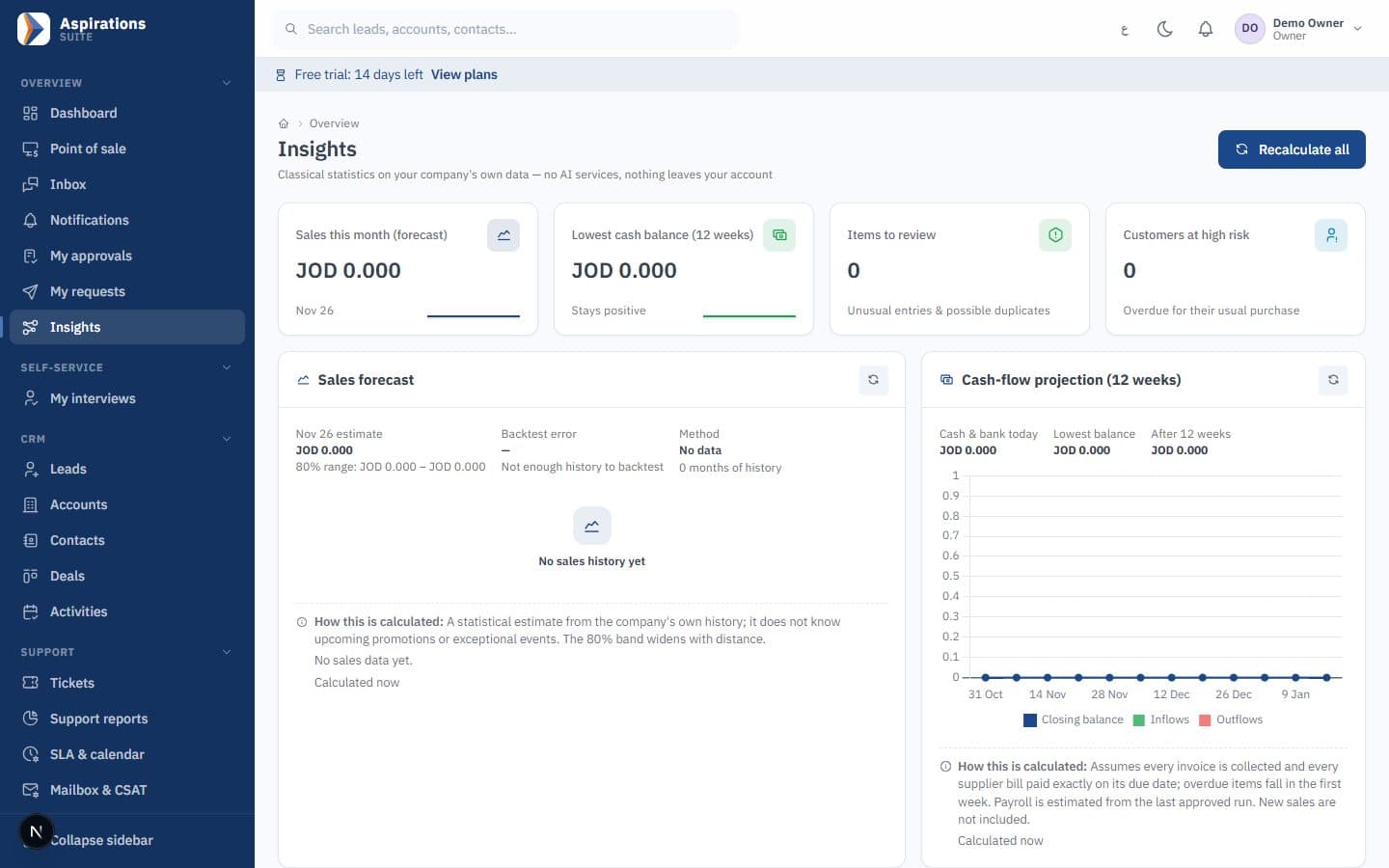
- Churn risk — See which customers are buying less often than usual.
Made for Jordan, Saudi Arabia and Syria
Language, taxes, e-invoicing and payroll rules are part of the product, not add-ons.
Arabic first, full English
Every screen, server message and system text in Arabic with a right-to-left layout, and in English. Data import understands Arabic headers and Arabic-Indic digits.
E-invoicing for Saudi Arabia and Jordan
Integrated with ZATCA Phase 2 (Fatoora) — tested on ZATCA's developer environment; each company completes its own onboarding. JoFotara integration ready (UBL 2.1); requires your JoFotara credentials.
Local tax rules
Standard, zero-rated and exempt categories with default rates of 16% in Jordan, 15% in Saudi Arabia and 0% in Syria, all editable. The dinar uses three decimals and Saudi national address fields are supported.
Local payroll rules
Jordanian social security, salary income tax and the national contribution, or Saudi GOSI and the end-of-service provision, with dated rates. Export files prepared for WPS/Mudad, GOSI and Jordanian social security (SSC) and salary income tax (formats confirmed with you during setup).
Online invoice payments
Payment-gateway integration for online invoice payments (configured per company), so customers can pay from the invoice link in the client portal.
WhatsApp built in
A shared inbox on the official WhatsApp Cloud API, WhatsApp template campaigns and client portal links sent by WhatsApp.
Your company data stays yours
Controls that exist in the product today, reviewed in our internal security review.
Isolated company data
Every record belongs to one company and is filtered by it on every read and write. Automated tests register two companies and confirm one cannot reach the other's records.
Cross-company references blocked
A save that points to another company's customer, supplier, cost centre or employee is rejected.
Encrypted credentials
E-invoicing, email and payment-gateway credentials are stored encrypted, never in configuration files.
Role-based permissions
Roles such as owner, admin, accountant, sales manager, sales rep, HR manager, support and cashier. Sales reps see their own records and users can be limited to their branches.
Approval workflows
Approval rules by amount for expenses, supplier bills, purchase orders, leave and payroll. Requesters cannot approve their own requests, and every decision is recorded.
Protected sign-in
Accounts lock after five failed attempts, sign-in is rate-limited, and disabling a user or changing their role applies to their current session.
Activity trails
Approval history, an automation execution log, a client portal action log and an append-only marketing consent log.
Plans for every stage
Plans are being finalised. Tell us your team size and the modules you need, and we will send you an offer.
Questions about Aspirations CRM
What sales and support teams ask before they switch.
Does the CRM work with WhatsApp Business?
Can I issue e-invoices from the CRM?
Can I import my existing leads and customers?
Can sales reps see each other's customers?
How are support SLAs calculated?
Is there a free trial?
Is the system available in Arabic and English?
How much does it cost?
Bring your sales and support onto one screen
Book a demo and we will show you leads, pipelines, WhatsApp and tickets working together on sample data from your sector.
Request a demo
Tell us about your sales and support team and our team will contact you to schedule a live walkthrough of Aspirations CRM.
Explore the Suite
CRM, ERP and HR run on the same platform and share the same customers, items, branches and ledger. Start with one and add the others when you need them.