
Salary bank transfer file generated from your approved payroll
Aspirations builds the salary transfer file each bank expects, straight from the approved payroll. The payroll is split by bank, IBANs are validated when the employee is saved, and every generated file is kept with a fingerprint and history. For Saudi companies, the same payroll produces the WPS (SIF) and Mudad files.
- Payroll split by bank, one file per bank
- Editable templates: delimited or fixed width
- IBAN validation before the file exists
- WPS SIF and Mudad files for Saudi Arabia
Why the salary file gets rejected on pay day
The bank file is the last step of payroll and the one nobody tests until money is due.
The challenge
A wrong IBAN digit
IBANs are copied by hand from an email or a photo of a bank card. One wrong digit and the line, or the whole file, comes back.
With Aspirations
Each IBAN is checked with the international mod-97 checksum and the Jordanian or Saudi structure when the employee is saved, and again before export.
The challenge
The right data in the wrong format
One bank wants semicolons, another wants fixed-width columns, a third wants Arabic names in Windows-1256. Excel saves something else.
With Aspirations
Each bank template stores its delimiter or column widths, encoding, line ending, decimals and header and trailer lines, so the file is built the same way every month.
The challenge
Totals that don't match the payroll
Someone edits the sheet after approval, and the bank pays a different amount from the payslips.
With Aspirations
Files are generated only from approved payroll, and each file is stored with a SHA-256 fingerprint so you can prove what was sent.
From approved payroll to a salary file for each bank
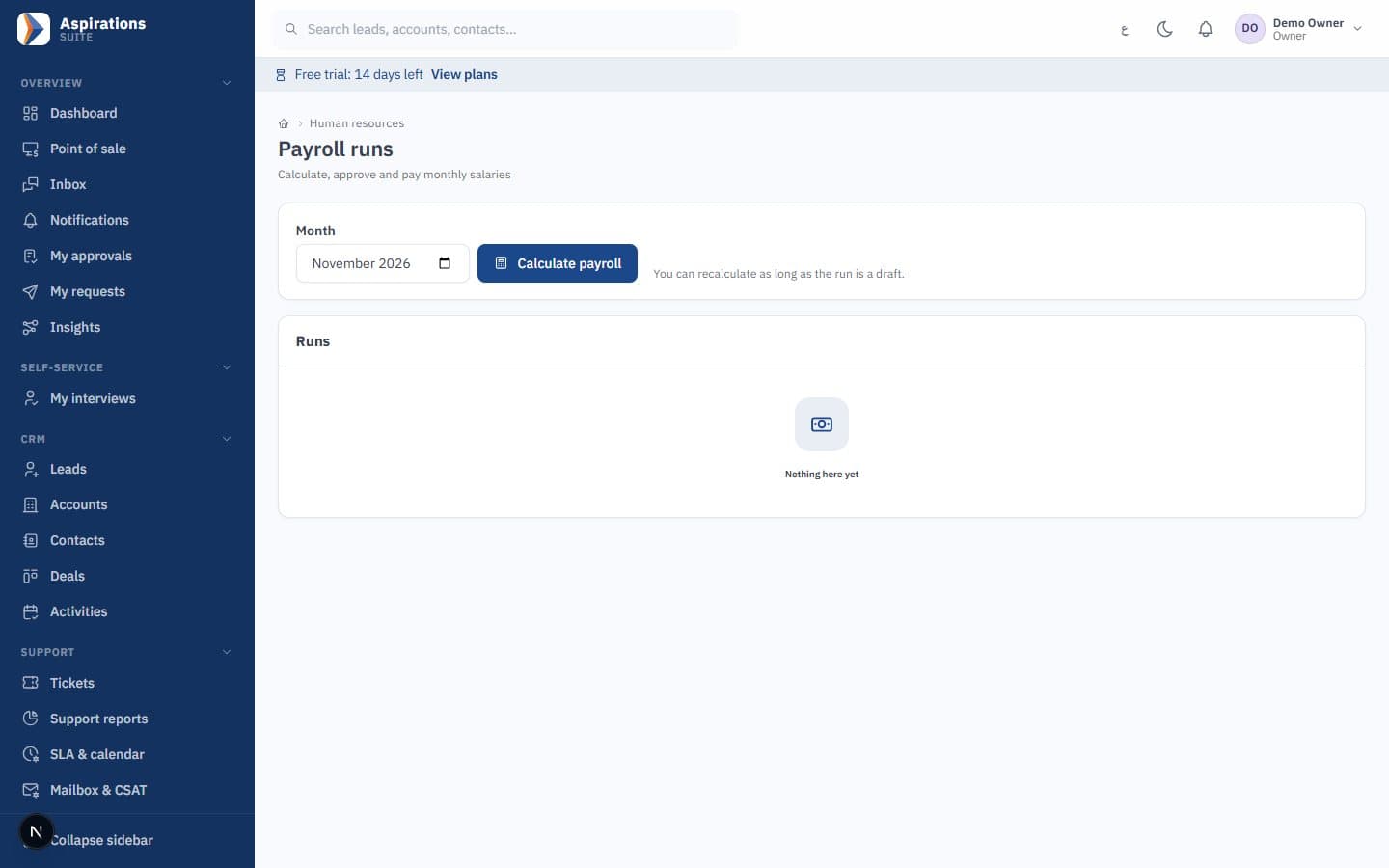
Employees are paid from different banks. The system groups them and builds one file per bank using that bank's template.
- Split by bank — The approved payroll is divided by each employee's bank, with totals and employee counts per file.
- Employee bank details — Bank name, IBAN and bank code are stored on the employee and validated when saved.
- Company debit account — The template holds the company's debit IBAN, so the header carries the account the salaries are paid from.
- History and fingerprint — Every generated file is kept with its date, user and SHA-256 fingerprint. Regenerating does not overwrite what was sent.
Starting templates for banks in Jordan and Saudi Arabia
The system comes with starting templates. Every one of them must be confirmed with your bank before the first real transfer, because banks change their layouts and some offer more than one format. We test a file with your bank during setup.
| Template | Country | Format notes |
|---|---|---|
| Jordan generic | Jordan | A simple delimited file to adapt to any bank |
| Arab Bank | Jordan | Starting layout, to be confirmed with the bank |
| Housing Bank | Jordan | Starting layout, to be confirmed with the bank |
| Jordan Kuwait Bank | Jordan | Semicolon-delimited, Windows-1256 encoding |
| Cairo Amman Bank | Jordan | Fixed-width columns |
| Bank al Etihad | Jordan | Starting layout, to be confirmed with the bank |
| WPS SIF (Mudad) | Saudi Arabia | Header with the MOL establishment ID |
| Mudad CSV | Saudi Arabia | CSV layout for Mudad |
| Saudi generic | Saudi Arabia | A starting point for Saudi banks |
If your bank is not listed, a new template is configuration, not development. For background on what banks usually ask for, read our guide to the bank salary file.
Every detail of the bank file is editable
When your bank sends a new specification, you change the template, not your process.
- Delimited or fixed width — Choose a delimiter such as comma or semicolon, or fixed-width columns with padding.
- Columns and order — Pick the fields, their order and their format: IBAN, name, amount, bank code, employee number and more.
- Header and trailer variables — Header and trailer lines with variables such as total amount, number of records, value date and debit IBAN.
- Encoding and decimals — UTF-8 or Windows-1256 for Arabic names, Windows or Unix line endings, and implied decimals for banks that want amounts without a decimal point.
WPS salary file and Mudad from the same payroll
For your company in Saudi Arabia, the wage protection files come from the approved payroll, not from a separate sheet.
- WPS SIF — The Salary Information File with the Mudad header and your MOL establishment ID.
- Mudad CSV — A CSV layout for uploading salaries to Mudad.
- Saudi IBAN checks — Saudi IBANs are validated against the SA structure and checksum.
- GOSI export — GOSI export files in a format confirmed with you during setup.
Social security and income tax export files
The same approved payroll feeds the files you submit to government portals.
Social security file
An export of insurable wages and contributions for the Social Security Corporation, in a format confirmed with you during setup.
Income tax file
Salary income tax withheld per employee for the monthly return, in a format confirmed with you.
GOSI for Saudi Arabia
Contribution exports for your Saudi employees.
You submit them
You download each file and upload it to the relevant portal yourself. There is no direct submission.
Posted to accounting
The approved payroll also posts its journal, so the bank, the files and the ledger agree.
Kept in history
Every exported file is stored, so you can answer a question about last year's transfer.
What is not included
Bank integrations are a place where vendors often overpromise. Here is what Aspirations does not do:
- No direct bank connection. There is no host-to-host or bank API link. You download the file and upload it to your bank's corporate portal.
- No bank approval claimed. The templates are starting points; each must be confirmed with your bank.
- No CliQ salary files. Salaries are paid by bank transfer file.
- No automatic government submission. Social security, income tax and GOSI files are uploaded by you.
How the salary entry posts behind the file is explained in our payroll journal guide, and the Saudi side in our Mudad and WPS guide.
How we set up your first bank file
One careful month, then every month is a download.
Collect your bank's specification
Ask your bank for its salary file layout, or send us a sample file they accepted.
Configure the template
We adjust a starting template or build a new one with you.
Clean employee bank data
Import IBANs and bank codes; invalid IBANs are listed for correction.
Test with the bank
Send a test file to your bank before the first real pay day.
Approve and download
Each month, approve payroll and download one file per bank.
Related pages
The bank file is the last step of a payroll that starts earlier.
Questions about salary bank files
What payroll and finance teams ask about bank transfer files.
Which banks in Jordan are supported?
Does the system send salaries to the bank directly?
How are IBANs checked?
Can it produce the Saudi WPS salary file?
Can it write Arabic names in the file?
Does it produce CliQ salary payments?
How much does it cost?
Stop rebuilding the salary file every month
Book a demo and bring your bank's specification. We will show the file built from a sample payroll.
Request a payroll and bank file demo
Tell us your banks and number of employees, and we will schedule a walkthrough.