
Payroll software for Jordan that handles social security and income tax
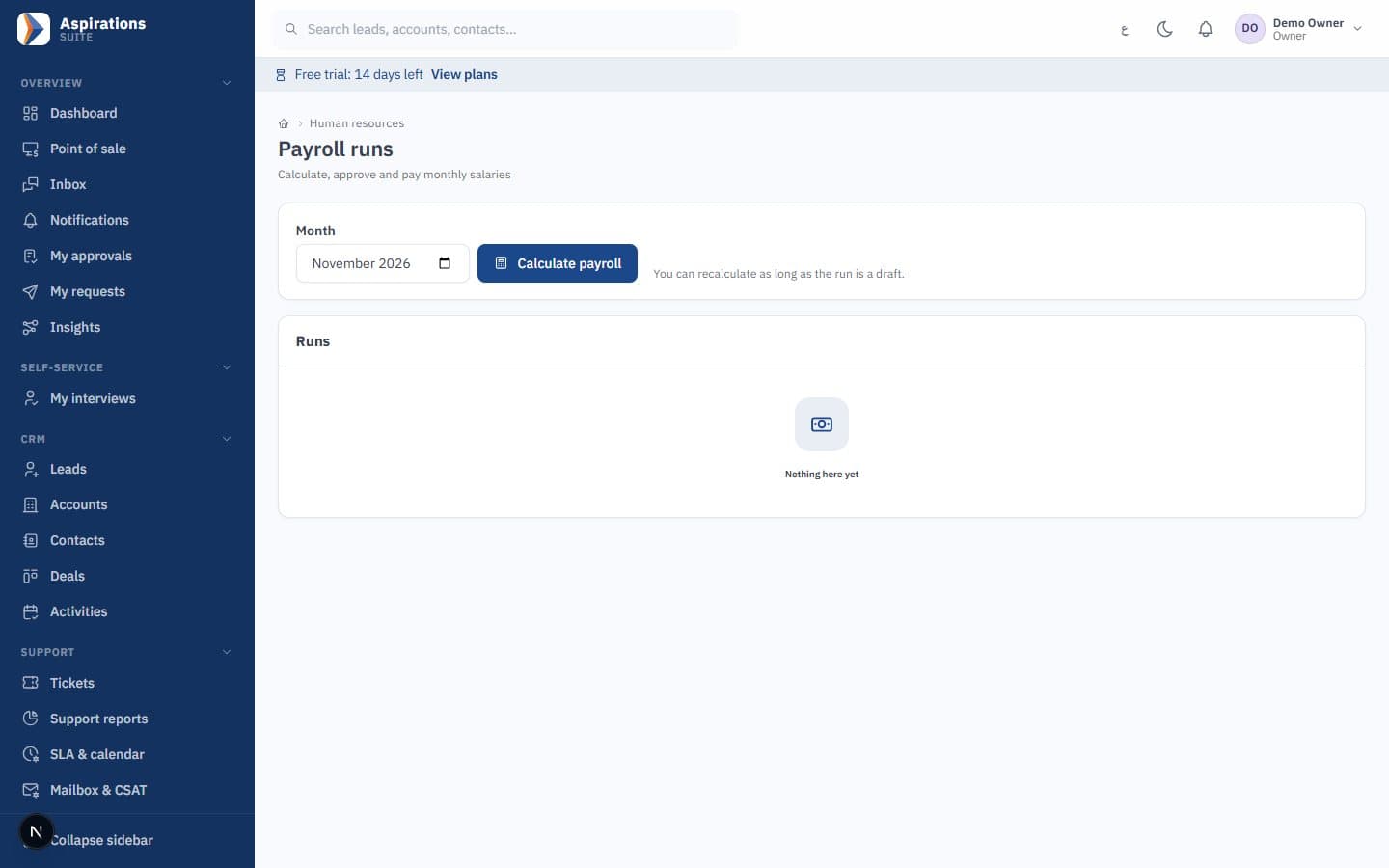
Aspirations is payroll software built for companies in Jordan. It calculates employee and employer social security, salary income tax and the national contribution using the rates in force for each month, prepares bank and government files, and posts the approved payroll straight to your accounts.
- Social security 7.5% and 14.25% with the insurable wage ceiling
- Salary income tax with personal and dependants exemptions
- Bank salary files with IBAN checks before export
- Posted to the ledger by department cost centre and branch
Why payroll month takes longer than it should
Many HR teams still close payroll in a spreadsheet, then rebuild the same numbers for the bank, social security and accounting.
The challenge
Formulas that break when a rate changes
The insurable ceiling changes every year. One sheet gets updated, another doesn't, and last year's figures quietly change.
With Aspirations
Rates are stored with effective dates. Each month uses the rate in force for that month, so re-running an old payroll gives the same result it gave then.
The challenge
Bank files rejected for one missing IBAN
One wrong digit in a hand-typed transfer file, and the bank returns it on pay day.
With Aspirations
IBANs are checksum-validated and missing IBANs or ID numbers are flagged before the file is exported.
The challenge
Accounting re-enters the totals
Finance posts salaries, contributions and payables by hand, often to a single cost centre.
With Aspirations
On approval, payroll posts to the ledger by department cost centre and branch: salaries, employer contributions and payables.
A payroll system with Jordanian social security built in
The system calculates both social security shares on every payslip and keeps the history of every rate it used.
- Employee and employer shares — The employee share (7.5%) is deducted from the salary and the employer share (14.25%) is shown as a company cost, a total of 21.75%.
- Insurable wage ceiling — Contributions stop at the monthly ceiling: 3,733 JOD for 2026 and 3,668 JOD for 2025. Each year is a separate dated row.
- Configurable wage base — Choose what counts as the insurable wage: gross salary, basic plus housing, or basic only, to match how your establishment registers its staff.
- Old months stay correct — When the ceiling or a percentage changes, HR adds a new dated rate. Payrolls already calculated are not touched.
Salary income tax and the national contribution, every month
Salary income tax is annual but withheld monthly. The system works out each employee's annual taxable income, applies brackets and exemptions, and withholds one twelfth each month.
- Brackets — 5%, 10%, 15% and 20% on each 5,000 JOD slice, then 25% up to 1,000,000 JOD and 30% above.
- Exemptions — 9,000 JOD personal exemption, 9,000 JOD for dependants, and up to 1,000 JOD per person for medical, education, rent or housing-loan interest, with a family cap of 23,000 JOD.
- National contribution — 1% of taxable income above 200,000 JOD, calculated automatically for the employees it applies to.
- Your rates, your dates — Brackets and exemptions are dated rates HR can update when the law or Income and Sales Tax Department instructions change.
From allowances, overtime and loans to a complete payslip
Every line HR normally adds by hand has a place, and numbers from other parts of the system arrive on their own.
- Salary structure — Basic salary plus housing, transport and other allowances, with salary grades and steps for companies that use a pay scale, and annual increments approved and applied from their effective date.
- Overtime and lateness from attendance — Overtime and lateness minutes flow from attendance automatically. The default overtime multiplier is 1.25 and you can edit it to match your policy.
- Unpaid leave and absence — Unpaid leave is deducted from the payslip. Absence deductions remain a manual decision by HR, because not every absence should cost the employee.
- Loans, claims, commissions and penalties — Employee loans are deducted in instalments, approved expense claims and sales commissions can be paid with the salary, and approved disciplinary deductions flow in within the limits you set.
Bank salary transfer files and SSC and tax export files
Pay-day files are generated from the approved payroll, so bank, social security and tax figures always agree with the payslips.
- Per-bank templates — Editable transfer templates for each bank, with built-in starting templates such as Arab Bank and Housing Bank. We verify the layout with your bank before your first transfer.
- Checks before export — IBANs are checksum-validated, and employees with a missing IBAN or ID number are listed before any file is created. Every exported file is kept in history.
- Social security and income tax files — Export files prepared for Jordanian social security and salary income tax, in formats confirmed with you during setup. You download them and submit through your establishment's portal.
- Saudi files — For your Saudi company: WPS (SIF) and Mudad salary files and GOSI export files from the same payroll.
Approve once, and payroll posts to accounting by itself
Payroll goes through an approval workflow before anyone is paid, and the approved figures post to the ledger without retyping.
- Approval rules — Payroll follows your approval rules. Requesters cannot approve their own requests, and every decision is recorded with its history.
- Cost centres and branches — Salaries, employer contributions and payables are posted by department cost centre and branch, so staff costs appear in the right profit and loss report.
Worked example: payroll for a salary in Jordan in 2026
Two monthly salaries in 2026, for illustration only: they assume a single employee with no extra exemptions, both salaries are below the 3,733 JOD insurable ceiling, and tax is calculated on gross salary minus exemptions. Real results depend on your wage base, allowances and exemptions. To try your own numbers, use the free net salary calculator.
| Line (JOD) | Gross 1,000 | Gross 2,500 |
|---|---|---|
| Employee social security (7.5%) | 75.000 | 187.500 |
| Annual taxable income (gross × 12 − 9,000) | 3,000 | 21,000 |
| Annual income tax | 150.000 | 2,750.000 |
| Monthly income tax withheld | 12.500 | 229.167 |
| Net salary | 912.500 | 2,083.333 |
| Employer social security (14.25%) | 142.500 | 356.250 |
| Total cost to the employer | 1,142.500 | 2,856.250 |
How the tax on 2,500 JOD is reached
Annual gross is 30,000 JOD. After the 9,000 JOD personal exemption, 21,000 JOD is taxable. The first 20,000 JOD is taxed in four slices: 250 + 500 + 750 + 1,000 = 2,500 JOD. The remaining 1,000 JOD is taxed at 25%, which adds 250 JOD. Total annual tax is 2,750 JOD, or 229.167 JOD a month.
The same 1,000 JOD salary with dependants
If the employee claims the dependants exemption, total exemptions become 18,000 JOD, which is more than the 12,000 JOD annual salary. Taxable income is zero, no tax is withheld, and net salary rises to 925.000 JOD. That is why exemptions are recorded per employee.
The national contribution does not apply in either case, because it only starts above 200,000 JOD of taxable income.
Final settlement and end of service
When an employee leaves, the system prepares the final settlement from the same file: end-of-service entitlement, notice and unused leave encashment, plus the last salary and any outstanding loan.
- End-of-service gratuity: under Article 32 of the Labour Law, the one-month-per-year gratuity applies only to workers who are not covered by social security. For covered employees, the settlement centres on notice and leave.
- Notice: one month under Article 23, unless the contract or the circumstances of the termination say otherwise.
- Unused leave: annual leave is 14 days, rising to 21 days after five consecutive years with the same employer. The unused balance is valued and paid in the settlement.
You can check a single case before you sign up with the end-of-service calculator and the annual leave calculator.
How moving your payroll to Aspirations works
Get employee data right once; after that, each month is review and approve.
Import your employees
Fill in the template with personal data, department, bank details, social security number and salary. Errors are previewed; nothing is saved until the whole file is clean.
Confirm rates and wage base
We review the dated social security and tax rates with you and set the insurable wage base your establishment uses.
Connect attendance
Link rosters and attendance so overtime and lateness arrive in payroll without manual entry.
Set up bank and government files
We confirm the bank transfer layout with your bank and the SSC and tax file formats with you before the first real month.
Run a month side by side
Run one month next to your current sheet and compare employee by employee before going live.
Approve, pay and post
Approve, download the bank file, and the journal posts by cost centre and branch.
Made for Jordan, ready for Saudi Arabia
Local rules are part of the product, not a customisation project.
Arabic first, full English
Every screen in Arabic (right-to-left) and English, with three-decimal dinars.
Jordanian social security
Employee and employer shares, the yearly insurable ceiling and a configurable wage base.
Salary income tax
Brackets, exemptions and the national contribution, stored as dated rates.
Saudi GOSI and WPS/Mudad
GOSI under the old and the 2024 law, a monthly end-of-service provision, and WPS and Mudad files.
Role-based permissions
Payroll is visible only to roles you choose, and users can be limited to their branches.
Employee self-service
Employees check leave balances, request leave, check in with geofence and see their roster from any phone browser.
Related pages
Payroll works best next to HR and finance.
Related guides
- Jordan social security contribution rates 2026 (employee and employer)
- Jordan income tax on salaries 2026: brackets and exemptions
- Net salary in Jordan for 500, 1,000 and 2,000 JOD (2026)
- How to choose payroll and HR software in Jordan: 10 questions to ask
- Jordan minimum wage 2026: 290 JOD, who it covers and what it means for payroll
- How to calculate the daily wage in Jordan: divide by 30 or 26?
- All guides
Questions about payroll software in Jordan
What HR and finance teams ask before they move payroll.
How is the social security deduction calculated on a salary in Jordan?
Does the payroll software calculate income tax with the dependants exemption?
Can it produce a salary file for my bank?
Are overtime and absence calculated automatically?
Does it prepare the social security and income tax files?
Can I run payroll for Jordan and Saudi Arabia in one system?
How much does it cost, and is there a trial?
Run your next payroll with confidence
Book a demo and we will walk through social security, income tax, bank files and posting with your own example.
Request a payroll demo
Tell us your number of employees and branches, and we will schedule a live walkthrough.